out standing in the field
Favorites
Shout Outs from Metroland: Best of the Capital Region 2010
Aug 2nd

Metroland Best of the Captial Region 2010; Cover photo by Alicia Solsman
Metroland’s Best of the Capital Region for 2010 came out last week and I am surprised and pleased to be included as the Best Retro-Futurist. Sure, it’s a made-up category, but it’s a good fit. Here’s what they have to say:
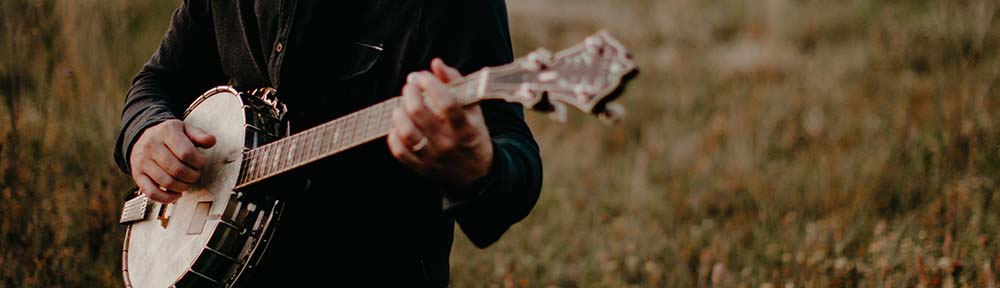
Composer and instrumentalist Holland Hopson has been a contributor to the region’s avant-garde music scene for the better part of 20 year—whether it’s vocal excursions that meld Gregorian chant and Dada, or soprano sax forays that come pretty close to “straight-up” jazz, the breadth and range of this iconoclast’s musical journey has always been intriguing, albeit way outside of the box. Hopson’s recent blending of traditional tunes (performed with vocals and banjo) and subtle electronics has turned him into one of the area’s most mesmerizing and memorable live performers. Catch him if you can, as his local shows tend to be few and far between.
Metroland has identified plenty of other (probably more deserving) best-of recipients including such friends and colleagues as Jason Cosco/Grab Ass Cowboys (Best Noise Wrangler); EMPAC (Best Music Curation) — this ought to read Micah Silver, in my opinion, since he is the Music Curator at EMPAC; The Sanctuary for Independent Media (Best Activist Community Arts Center); and Emily Zimmerman (Best Emerging Curator).
These accolades come on the heels of a conversation with a friend at the latest show presented by the Albany Sonic Arts Collective. We were talking about how important it is for a community of artists to receive some recognition from the local press and the concomitant pitfalls of letting it go to your head. A timely conversation for the former and hopefully we’ll avoid the latter. The ASAC event was a great set of performances, by the way, particularly from Fossils from the Sun (Ray Hare) and Family Battle Snake (Bill Kouligas).
Related Posts
Sedition Edition
Jul 16th
Here are some recordings and photos from my June 19 show at Sedition Gallery in Sydney, Australia. The performance was part of the Left Coast Festival 2010.
The first set consisted of duo improvisations by Holland Hopson, fretless banjo and electronics with Mike Majkowski, double bass.
Audio clip: Adobe Flash Player (version 9 or above) is required to play this audio clip. Download the latest version here. You also need to have JavaScript enabled in your browser.
Hopson Majkowski Improvisation 1.mp3
Audio clip: Adobe Flash Player (version 9 or above) is required to play this audio clip. Download the latest version here. You also need to have JavaScript enabled in your browser.
Hopson Majkowski Improvisation 2.mp3
Audio clip: Adobe Flash Player (version 9 or above) is required to play this audio clip. Download the latest version here. You also need to have JavaScript enabled in your browser.
Hopson Majkowski Improvisation 3.mp3
Audio clip: Adobe Flash Player (version 9 or above) is required to play this audio clip. Download the latest version here. You also need to have JavaScript enabled in your browser.
Hopson Majkowski Improvisation 4.mp3
Next was a wonderful set by Kraig Grady, just tuned vibraphone and Terumi Narushima, just tuned pump organ.
Audio clip: Adobe Flash Player (version 9 or above) is required to play this audio clip. Download the latest version here. You also need to have JavaScript enabled in your browser.
Related Posts
Hopping Around the LilyPond
Jun 17th
I’ve been experimenting recently with the open source music notation software LilyPond (thanks CDM!). I had looked into it in 2005 or 2006 and couldn’t understand how it would be of much use to me at the time. I think I recognized the flexibility of LilyPond, but couldn’t justify learning a scripting language (programming language?) when Finale met most of my notation needs. Since then I’ve become increasingly frustrated with Finale–more reluctant than ever to shell out more money for another incremental upgrade that never seems to provide the features I need. At the same time I’ve become more interested in creating non-standard notation, and so I developed a workflow in which only bare bones musical notation was produced using Finale, with the rest of the layout work done in a graphic design program like Illustrator. I’ve also been working more with tablature for five-string banjo, which has never felt comfortable in Finale.
So when I came across LilyPond this time I immediately noticed the support for non-standard notation, everything from Gregorian chant notation to proportional notation found in contemporary music, and of course, tablature. I also saw examples of common (for me) notation tweaks and features such as staves without bar lines; staves in multiple, simultaneous time signatures (that align!); note heads without stems; staves without staff lines (blank staves); note clusters; quarter tones; various accidental-handling schemes, etc. More encouraging was the fact that these features, while not always highlighted, also weren’t buried in the back of the documentation and were presented as viable (even desirable) notational choices. And did I mention that the output looks amazing! LilyPond produces gorgeous scores.
With those encouraging signs I jumped right into the tutorial and quickly decided I would try to notate some of my songs for five-string banjo. After about about a week of daily half-hour sessions I had a usable score for “Born in the Desert” and a new found enthusiasm for LilyPond.

Download the score as a pdf file: born_in_the_desert.pdf
Download the score as a LilyPond .ly file: born_in_the_desert.ly
Working with LilyPond
LilyPond uses a scripting language for all input: there’s no GUI, no point-and-click, no pretty graphics. I suspect my initial reluctance to try LilyPond the first time around was largely a result of this structure. (“What? I have to type out a bunch of ASCII? And then compile it to see the result?”) After a short time with the language, however, I found I quite enjoyed working without a GUI. Here are a few reasons why:
WYSIWYM: LilyPond operates on a “What You See Is What You Mean” principle. I like the fact that I can encode the information that’s important to me separately from its presentation. Working with tablature provides a good example. In some tablature programs, your data only “looks” like actual notation. Behind the scenes it’s actually a collection of graphics commands and specifications–a drawing that resembles music. If you decide later to extract the notation, or even simply transpose it or try an alternate tuning, you quickly find you’re stuck; there’s no (musically significant) “there” there. In LilyPond, you encode the important data and then decide how to present it. If you later change your mind about the presentation, the original data is still around, preserved in a musically sensible manner.
Variables: I may be more of a programmer than I realize or admit to being, since I immediately grabbed on to the powerful options presented by variables. Anything that can be represented in LilyPond can be assigned to a variable: from a recurring rhythmic motive, to a sequence of pitches, to an entire staff of notation. This provides composers with the ability to generate a personal “language” of modules.
I used two simple variables in the score for “Born in the Desert”. One holds a recurring “pinch” gesture that will be familiar to fingerpicking guitar and banjo players. I named it “pinch”
pinch =
{
< g’\5 d’ >8
}
This simply creates an eighth-note chord consisting of a d and g above middle c. The “\5″ after the g tells LilyPond that this note belongs on the fifth string.
The other variable contains a similar sequence of notes, a sixteenth-note g on the fifth string played by the thumb followed by a d on the first string plucked by the index finger. I named this variable “ti” for thumb-index.
ti = {
g’16\5 d’
}
My use of these variables is far from earth-shattering but felt wonderfully convenient. Every time I needed to represent these gestures all I had to do was type \pinch or \ti.
Note to self: I enjoyed how useful writing comments to myself could be. If something wasn’t working exactly how I wanted it I could simply add a comment like “% ??? what’s going on here? why is the second verse not aligning the way I expect?” or “% FIX This bar may need to be transposed.” These kinds of placeholders are nothing special in a word-processing environment, but when working with a graphical notation tool I often resorted to maintaining a separate “to do” file that was clumsy to use since it required including wayfinders like: “violin part, page 6, bar 23, beat 1: …”
And here are a few frustrations with Lilypond, all having to do with its script-based nature:
“error: failed…”: Seemingly trivial lapses in syntax can produce disastrous results. More than once I forgot a curly-brace or a quote and witnessed a dismaying string of errors pop up in the console when I tried to compile the score. A little bit of code management and common sense goes a long way here, such as indenting blocks of code and adding plenty of comments. I also found working with LilyPond within jEdit provided excellent color-coding of syntax.
Move it!: Sometimes I wanted to nudge a notational element or move staves a bit closer together. With Finale or Sibelius there is often a simple click-and-drag solution. in LilyPond I was back to poring over the documentation to find the correct \override statement and which engraver to invoke. Sound tricky? It is. And for simple fixes it was frustrating (though I’m sure with time the simple \overrides would become second nature). The one consolation is that the same \override principles are used to move practically _anything_ in LilyPond, providing a degree of flexibility that Finale or Sibelius simply don’t offer.
LilyPond Life
My next step with LilyPond will be producing scores for more banjo tunes to be released in conjunction with my upcoming CD. I’m particularly interested to find out how flexible the tuning schemes for tablature can be. LilyPond’s banjo tablature supports a number of common tunings already. I wonder how will it handle the non-standard tunings in some of my pieces. Then I hope to tackle some of the more outlandish notational problems in my existing works that have previously prevented me from rendering them electronically.
Related PostsArduino On Board
Apr 24th

Photo by Nicholas Zambetti
I recently ordered an Arduino board to try another approach for getting sensor data into my computer. More and more of my students are using them, too, and I wanted some first-hand experience. Most of my previous work has been with the Basic Stamp family of boards. The Arduino arrived this week and I promptly sat down and gave it a try.
The first thing I noticed (aside from the price: the entire Arduino setup costs significantly less than similar boards!) was how much easier it was to get the Arduino going than the Stamp. This isn’t exactly a fair comparison, since my initial experience with Stamps was way back in 1999 or 2000, and it was also my first time fooling with microcontrollers. I’ve learned plenty since then, and the products (along with their attendant software) have come a long way. I have to give the nod to the Arduino for its cross-platform, open-source software. (When I first started with the Stamp I kept a junker 386 PC around, just to run the Stamp compiler. No fun.)
I’m also impressed by the Arduino software. I’ve admittedly done little more than fire up the example “sketches” and tweak a few lines of code. However, the Processing/Java-style language seems a better fit for my (weak) coding style. The community around the Arduino seems very active. There are already a number of projects that simplify moving data from the board to common software such as MaxMSP and Processing.
Then there’s also the luxury of the USB cable that serves for both communication and power supply. This may seem trivial, but I look forward to the day when I don’t need to change the battery in my sensor box before every performance, or carry a spare 9-volt wherever I go. I may also jettison my USB MIDI interface along with a MIDI cable required by my Stamp setup. Suddenly, though, my USB ports are getting a little crowded…
The one niggling worry I have is the serial communication with Max. Using MIDI is certainly slower, but seems foolproof to me: no handshaking necessary, a dead simple initialization process, etc. I hope my fears are simply due to a lack of experience; that once everything is setup and tested I’ll feel just as confident with the serial connection as I do with my aging MIDI cables.
Related PostsHemi Speaker and Our Lady of Detritus
Sep 14th
I recently had the opportunity to help Kristin Norderval build a hemispherical speaker for use in the jill sigman/thinkdance production, Our Lady of Detritus, engagingly described as “a portable, interdisciplinary performance installation about trash and transcendence; a traveling grassroots campaign fueled by experimentation, green energy sources and community interaction.” The show is presented every weekend through mid-October at various locations around New York City. See here for details.
The speaker was based on the Princeton Laptop Orchestra (PLOrk) Delorean speaker and the Stanford Laptop Orchestra (SLOrk) speakers.
Enclosure
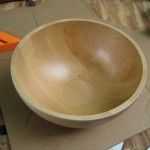
We used an Ikea salad bowl for the enclosure just like the SLOrk speakers.
Amps
We pulled 3 Dayton T-amps from their enclosures and mounted them on the inside of the bottom plate of the speaker cabinet.
Speakers
We used 6 4″ Inifinity 4022i drivers.
Volume Pots and Connectors
The Dayton amps had combination volume and power pots, so we decided to keep them rather than source and wire up a 6-position potentiometer. A little Dremel routing magic made mounting the volume pots easier than I expected. A coaxial power jack and 6-pin Neutrik XLR jack and plug rounded out the connectors.
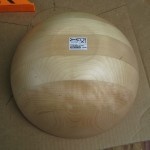
- salad bowl – top view
- salad bowl – bottom view
- salad bowl – detail showing Ikea part number
- salad bowl and template for marking the position of the 5 “equatorial” speakers
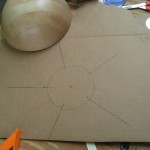
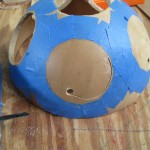
- cutting holes for speakers
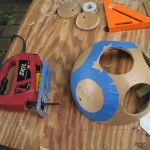
- We used masking tape to prevent the jigsaw from scratching the bowl
- Kristin demonstrating the dispersion pattern of the enclosure

- A naked Dayton T-amp with the speaker connections on top and the volume pot on the left
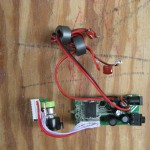
- A Dayton T-amp before disassembly
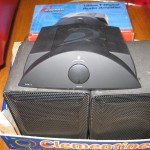
- finished hemi – with audio and power connectors on the left
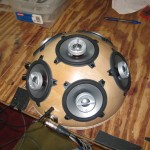
- finished hemi – with 3 volume pots on the left
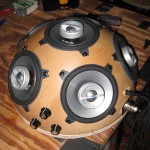
- finished hemi – top view
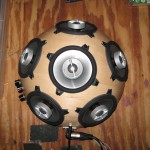
The speaker sounds good–punchy and more powerful than I expected, particularly considering the 4″ drivers. I’ll be building one for myself soon.
Related Posts